
 Download
 Browser
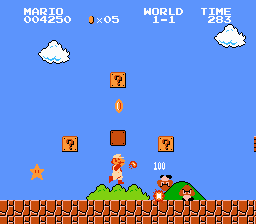
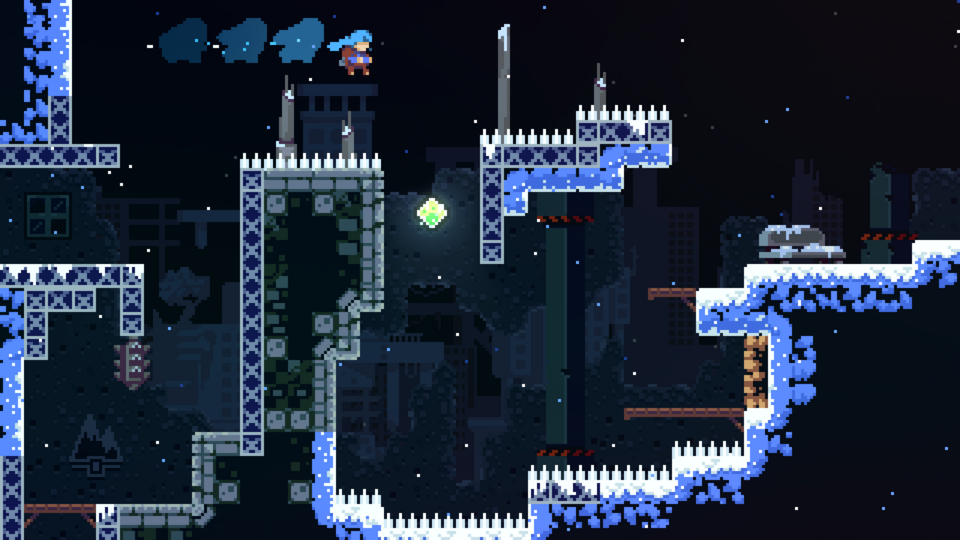
Great platformers are taught through level one — Super Mario Bros. world 1-1 is a design essay in jumping, gaps, and reward placement. Celeste teaches dash rules on a single screen before the mountain opens up. Block levels in Manabit the same way: teach one idea per screen, then add difficulty.
What you'll make
A short platform segment — 20–40 tiles wide — with ground, pits, platforms, and one collectible or goal.
Super Mario Bros. — teach without text
The first Goomba, question block, and pit appear in safe order. Space lets players react. When you block a level, place one new challenge per screen, not five.
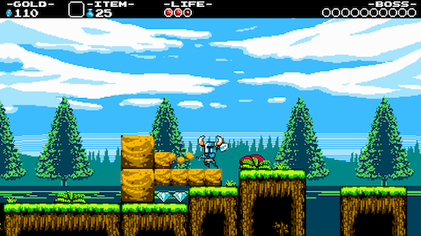
Celeste / Shovel Knight — fair difficulty
Hard jumps show the landing before the gap. If a pit is blind, keep it short or mark it with a different edge tile.
What you need
- A tileset — How to build a tileset from scratch.
- Map Builder (
T) and Brush (B) — Build Maps Quickly.
Steps
- Sketch one path from start to goal on paper.
- Block the safe flat route first — your “world 1-1” lane.
- Add one forgiving pit with visible landing.
- Introduce platforms at tested jump height (3–4 tiles up, 3–5 across).
- Place an optional reward off the main path.
- Zoom out — trace the player path with your eyes.
- Export the map layer as PNG.
Next steps
- How to learn pixel art from classic games
- How to animate a walk cycle in Manabit — test avatar read against tiles.
